
Follow the instructions below to install the Paperless Agent Email Sequence Workflow Package.
1) Click on Workflows
2) Click on the " + " button to add a workflow
3) Select "Add workflows from the library" then click [Continue]
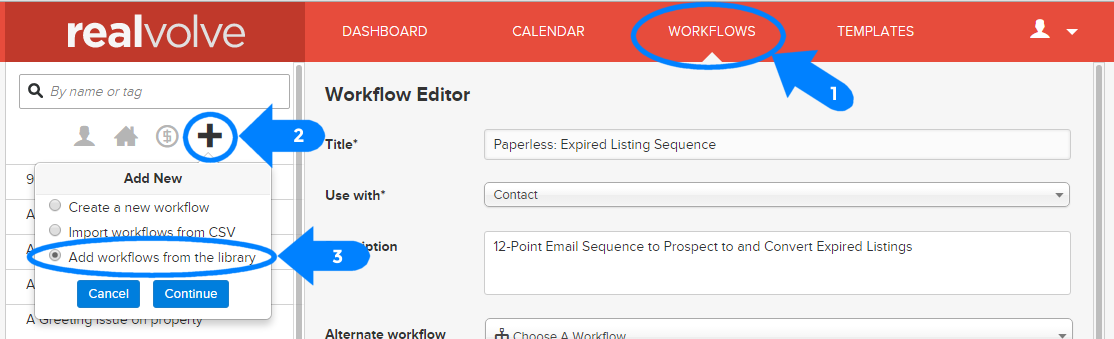
Click on "The Paperless Agent - Email Sequences" from the list of available Workflow Packages.
1) Click on [Install Package]
2) Enter the installation code provided to you by The Paperless Agent Coaching Club then click [Install]
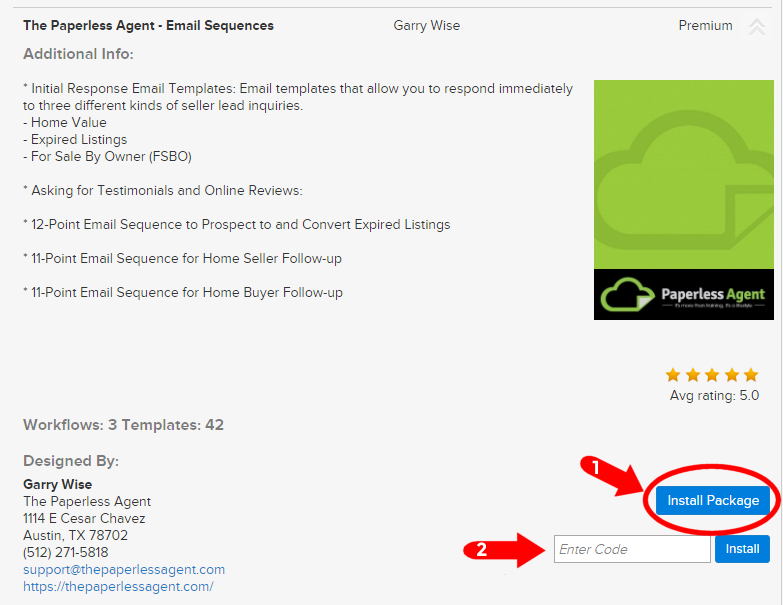
The Workflows and Templates will be available when the installation is complete.
Note: Contact the coaching club representative to get your installation code.
Take a look at this video here for more details on installing Workflow Packages!